Skip to content
  • Home
  • Documentation
  • Contact
  • About
Menu
  • Home
  • Documentation
  • Contact
  • About
العربية

Designer

34
  • Introduction to the Survey Designer
  • Start As Survey Designer
  • Frequently Asked Questions (FAQ)
  • Error Messages and Their Solutions
  • Designer Dashboard
    • Overview
    • Edit Profile Information
    • Log Out
    • Change Language
    • View Key Information of Al-Khwarizmi Platform
    • View Survey Summary
  • My Surveys Screen
    • Overview
    • Viewing Surveys
    • Creating a New Survey
    • Copy a Survey from Templates
    • Duplicate an Existing Survey
    • Edit an Existing Survey
    • Delete a Survey
    • Add a Survey to Templates
    • View Survey Versions
    • Survey Reports
    • Sort the Surveys Table
    • Search the Table Data
  • Control Panel
    • Overview
    • Add organization
    • Search for a User Role
    • Creating New Groups
    • Add Users to Groups
    • Search for Users
    • Add Users
    • Assign Surveys
    • Survey Timeline View
    • Enrich the Question Bank
    • Upload a Survey Sample
    • Enrich the Coding List

Call Center

27
  • About the Call Center
  • Getting Started with the Call Center
  • Frequently Asked Questions (FAQs)
  • Error Messages and Solutions
  • Call Center Dashboard
    • Overview
    • Edit Profile Information
    • Log Out
    • Change Language
    • Sending Notifications
    • View Key Information of Al-Khwarizmi Platform
    • Viewing Available Surveys
  • Form Screen
    • Overview
    • Displaying the Survey Main Screen
    • Adding a New Job Group
    • Add Users to Survey Roles
    • Preview Users and Their Job Group
    • Add a New Queue
    • Add a New Queue
    • Assign Queues
    • Distribute Workload in Queues
    • Pull a survey Unit
    • View Task Log
    • Filter the Task Table
    • Task Table Column Settings
    • Assign Units from Queue
    • Search for a Unit
    • Add a Call

Field Managment

29
  • Introduction to Field Management
  • Getting Started as a Field Management
  • Frequently Asked Questions (FAQ)
  • Error Messages and Solutions
  • Field Managment Dashboard
    • Overview
    • Edit Personal Account Information
    • Change Password
    • Logout
    • View Al-Khwarizmi Platform Information
    • Change Language
    • View Available Surveys
    • Create New Map Update Survey
    • Preview of Geographic Maps
    • Add a New Map
  • Form Screen
    • Overview
    • Display the survey Main Screen
    • Create a New Workgroup
    • Add Users to the Survey Job Group
    • Assign Tasks Using Maps
    • Assigning Tasks Using the List
    • Assigning Units to Users
    • Viewing the Data Transfer Log
    • Configuring Data Sync Log Table Columns
    • Tracking
    • Field Researchers’ Progress
    • Table Column Settings for the Progress Report
    • Configure Survey Settings
    • Configure Survey Settings
    • Add a New Version of Geographic Layers
View Categories
  • Home
  • Docs
  • Designer
  • Designer Dashboard
  • View Survey Summary

View Survey Summary

View a general summary of various surveys within the “Survey Designer” system.

To view an overview of surveys in their various types within the “Survey Designer” system, follow these steps:

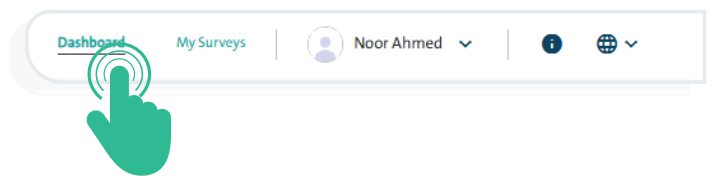
  • Click the “Dashboard” link at the top of the Survey Designer’s main screen to open the platform’s homepage.
This page displays a summary of surveys created by you or your team members, giving you an overview through the following screens:

  • A statistic of the number of surveys created, divided into the total number of surveys, surveys in progress, published surveys, and closed forms.

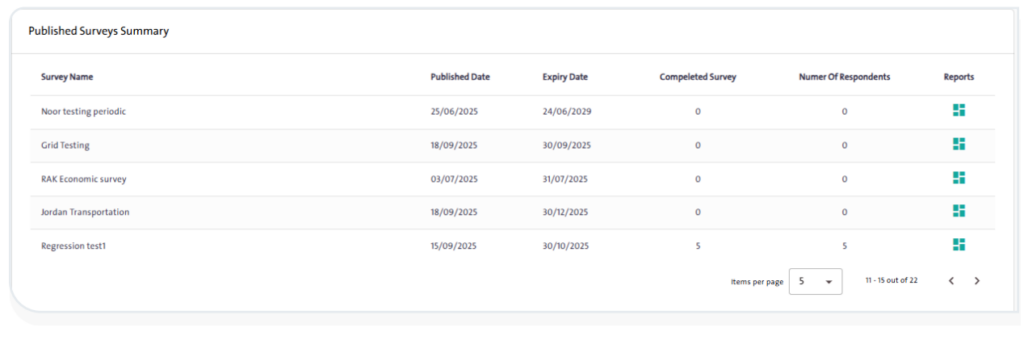
  • A summary of the surveys published, displaying the following details:
    • Survey Name
    • Published Date
    • Expiry Date
    • Completed Surveys
    • Number of Respondents
    • Reports
INFO

You can view reports for published surveys, including response summaries, Excel export, and a survey-specific API, by clicking the “Reports” icon next to the survey name.

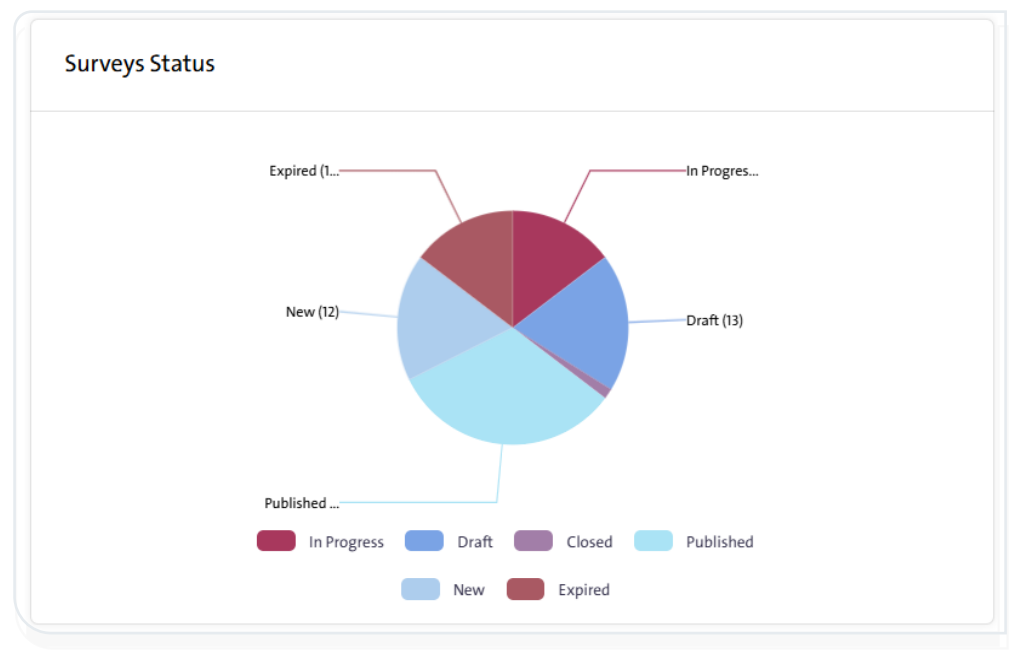
  • A chart illustrating the status of surveys in the system, distinguishing between the different types of surveys:
    • In Progress: Surveys that are currently being edited.
    • Draft: Surveys that have been created but are incomplete and not yet published. If left unfinished for a certain period, their status automatically changes from “Under Modification” to “Draft.”
    • Closed: Surveys that have been completed or stopped for specific reasons and can no longer be edited.
    • Published: Surveys that have been released to the public or targeted stakeholders, and their results have been determined.
    • New: Surveys that are newly created and have not yet been finalized or published.
    • Expired: Surveys that have been closed after their designated time has ended.
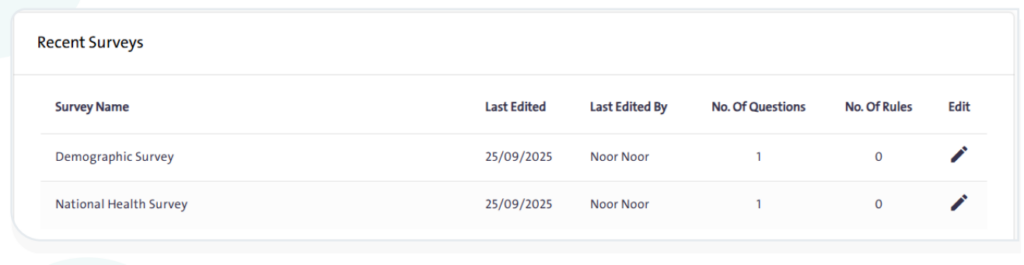
  • A summary of the latest surveys displaying the survey name, last modification, and the user who made it, along with the number of questions and rules in each survey, with an option to “Edit Survey”.
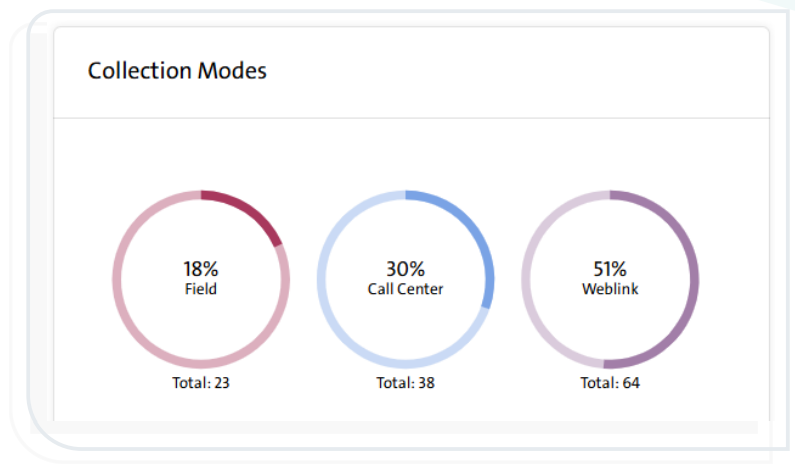
  • Statistics of survey data sources, with three different sources available in Al-Khwarizmi Platform:
  • Web Link
  • Call Center
  • Field Management
  • Statistics of surveys based on the type specified during survey design, including:
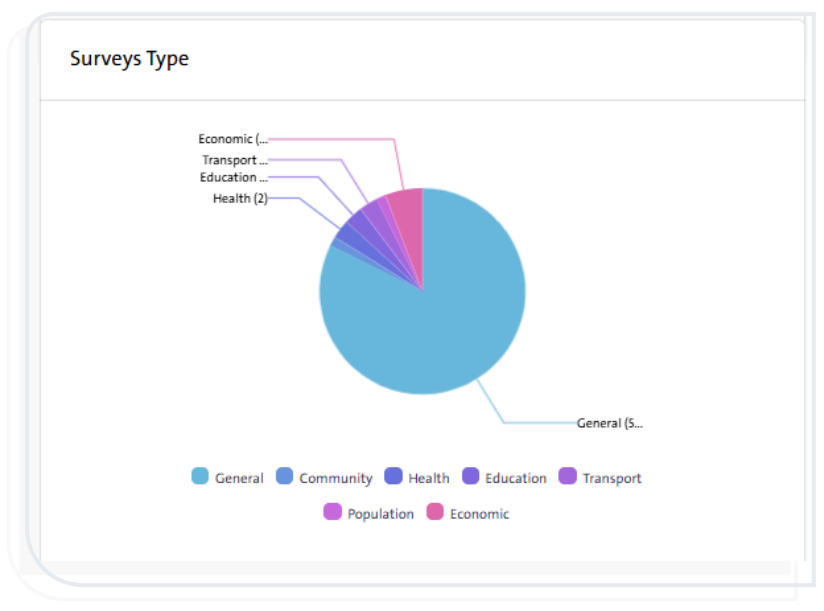
  • General
  • Education
  • Human Resources
  • Population
  • Health
  • Transport
  • Economics

What are your Feelings

  • Happy
  • Normal
  • Sad
View Key Information of Al-Khwarizmi Platform

More Links

  • Abbreviations
  • Dictionary
  • Conventions
  • Al Khwarizmi Products
  • Al Khwarizmi Designer

Al Khwarizmi User Guide by Realsoft. All Rights Reserved.