
Skip to content
  • Home
  • Documentation
  • Contact
  • About
Menu
  • Home
  • Documentation
  • Contact
  • About
العربية

Designer

34
  • Introduction to the Survey Designer
  • Start As Survey Designer
  • Frequently Asked Questions (FAQ)
  • Error Messages and Their Solutions
  • Designer Dashboard
    • Overview
    • Edit Profile Information
    • Log Out
    • Change Language
    • View Key Information of Al-Khwarizmi Platform
    • View Survey Summary
  • My Surveys Screen
    • Overview
    • Viewing Surveys
    • Creating a New Survey
    • Copy a Survey from Templates
    • Duplicate an Existing Survey
    • Edit an Existing Survey
    • Delete a Survey
    • Add a Survey to Templates
    • View Survey Versions
    • Survey Reports
    • Sort the Surveys Table
    • Search the Table Data
  • Control Panel
    • Overview
    • Add organization
    • Search for a User Role
    • Creating New Groups
    • Add Users to Groups
    • Search for Users
    • Add Users
    • Assign Surveys
    • Survey Timeline View
    • Enrich the Question Bank
    • Upload a Survey Sample
    • Enrich the Coding List

Call Center

27
  • About the Call Center
  • Getting Started with the Call Center
  • Frequently Asked Questions (FAQs)
  • Error Messages and Solutions
  • Call Center Dashboard
    • Overview
    • Edit Profile Information
    • Log Out
    • Change Language
    • Sending Notifications
    • View Key Information of Al-Khwarizmi Platform
    • Viewing Available Surveys
  • Form Screen
    • Overview
    • Displaying the Survey Main Screen
    • Adding a New Job Group
    • Add Users to Survey Roles
    • Preview Users and Their Job Group
    • Add a New Queue
    • Add a New Queue
    • Assign Queues
    • Distribute Workload in Queues
    • Pull a survey Unit
    • View Task Log
    • Filter the Task Table
    • Task Table Column Settings
    • Assign Units from Queue
    • Search for a Unit
    • Add a Call

Field Managment

29
  • Introduction to Field Management
  • Getting Started as a Field Management
  • Frequently Asked Questions (FAQ)
  • Error Messages and Solutions
  • Field Managment Dashboard
    • Overview
    • Edit Personal Account Information
    • Change Password
    • Logout
    • View Al-Khwarizmi Platform Information
    • Change Language
    • View Available Surveys
    • Create New Map Update Survey
    • Preview of Geographic Maps
    • Add a New Map
  • Form Screen
    • Overview
    • Display the survey Main Screen
    • Create a New Workgroup
    • Add Users to the Survey Job Group
    • Assign Tasks Using Maps
    • Assigning Tasks Using the List
    • Assigning Units to Users
    • Viewing the Data Transfer Log
    • Configuring Data Sync Log Table Columns
    • Tracking
    • Field Researchers’ Progress
    • Table Column Settings for the Progress Report
    • Configure Survey Settings
    • Configure Survey Settings
    • Add a New Version of Geographic Layers
View Categories
  • Home
  • Docs
  • Call Center
  • Error Messages and Solutions

Error Messages and Solutions

Message: “Incorrect Username or Password” #
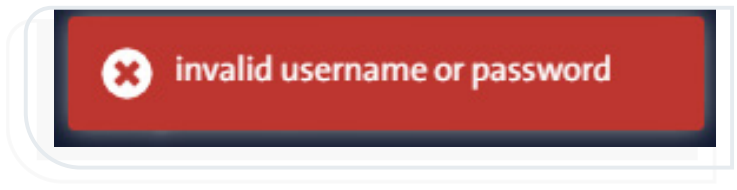
This message appears when an incorrect username or password is entered during system login.

Solution:

Verify that your login credentials (username and password) are correct.

Message: “Invalid Credentials” #
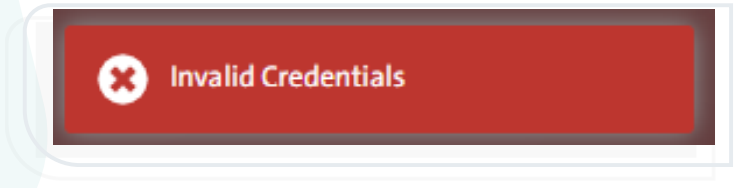
This message appears when the entered login information does not match any existing user account in the system.

Solution:

Re-enter your username and password correctly, ensuring there is no extra space or typing errors.

Message: “No Extension Number Found in Your Account. Please Contact Your administrator” #
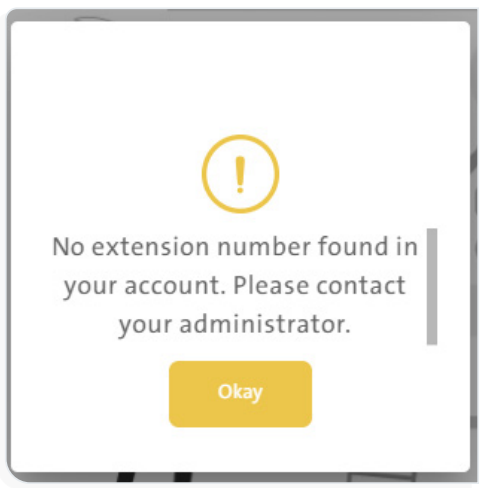
This message appears when your account does not have an assigned extension number, which is a unique number granted to each user in the system.

Solution:

Contact the system administrator to assign an extension number to your account.

Message: “Incorrect Password” #
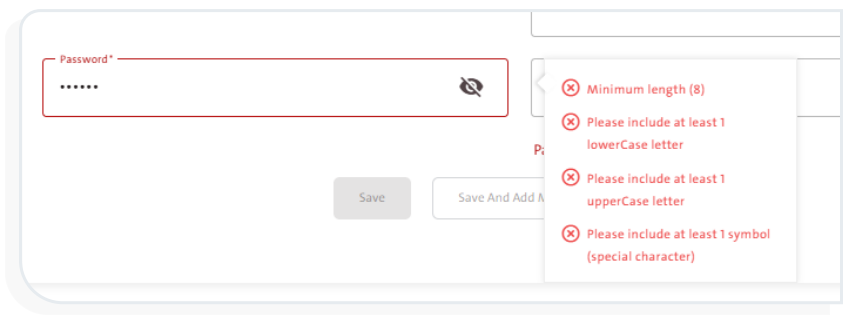
This message appears when the chosen password does not meet the system’s password requirements while creating a new user.

Solution:

Choose a password that complies with the following criteria:

  • Contains at least 8 characters.
  • Includes at least one uppercase letter.
  • Includes at least one lowercase letter.
  • Includes at least one special character.

Message: “Passwords doesn’t Match!” #
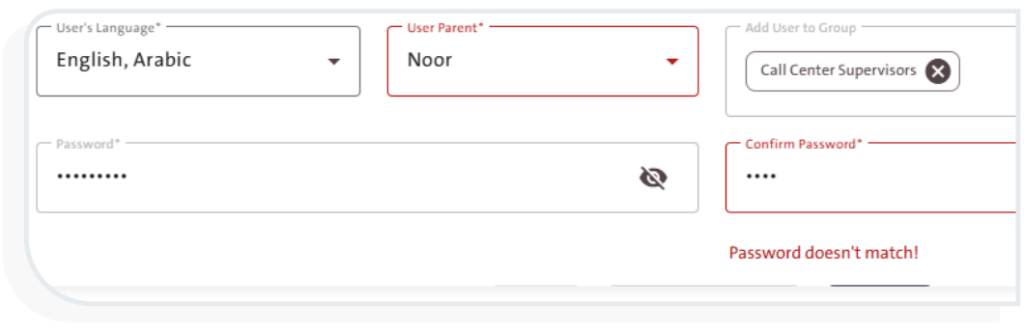
This message appears if the password entered in the “Confirm Password” field does not match the one entered in the “Password” field when adding a new user.

Solution:

Ensure that both password entries match.

Message: “Can’t delete group if it has one user or more” #
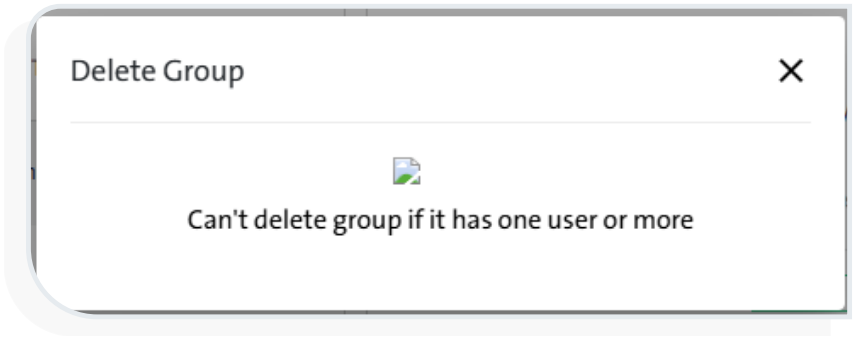
This message appears when attempting to delete a group that still contains one or more assigned users.

Solution:

Remove all users from the group before attempting to delete it.

What are your Feelings

  • Happy
  • Normal
  • Sad
Frequently Asked Questions (FAQs)
Table of Contents
  • Message: “Incorrect Username or Password”
  • Message: “Invalid Credentials”
  • Message: “No Extension Number Found in Your Account. Please Contact Your administrator”
  • Message: “Incorrect Password”
  • Message: “Passwords doesn’t Match!”
  • Message: “Can’t delete group if it has one user or more”

More Links

  • Abbreviations
  • Dictionary
  • Conventions
  • Al Khwarizmi Products
  • Al Khwarizmi Designer

Al Khwarizmi User Guide by Realsoft. All Rights Reserved.