
Add new users to the Survey Management System. #
To add new users to the Survey Designer system, follow these steps:
- From the side Control Panel, select “User Management”.
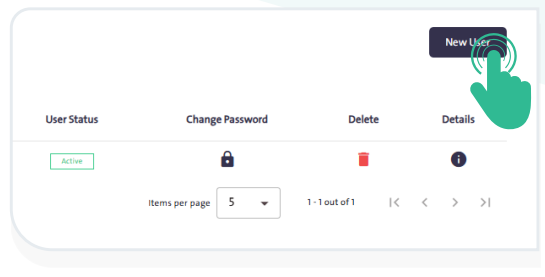
- Click “New User” and follow these steps:
- Enter the user’s first and last name.
- Set the username for the platform.
- Enter the user’s email address.
- Specify the workplace.
- Assign the user role: Reviewer or Survey Creator.
- Enter a password that meets the password policy requirements.
- Confirm the entered password.
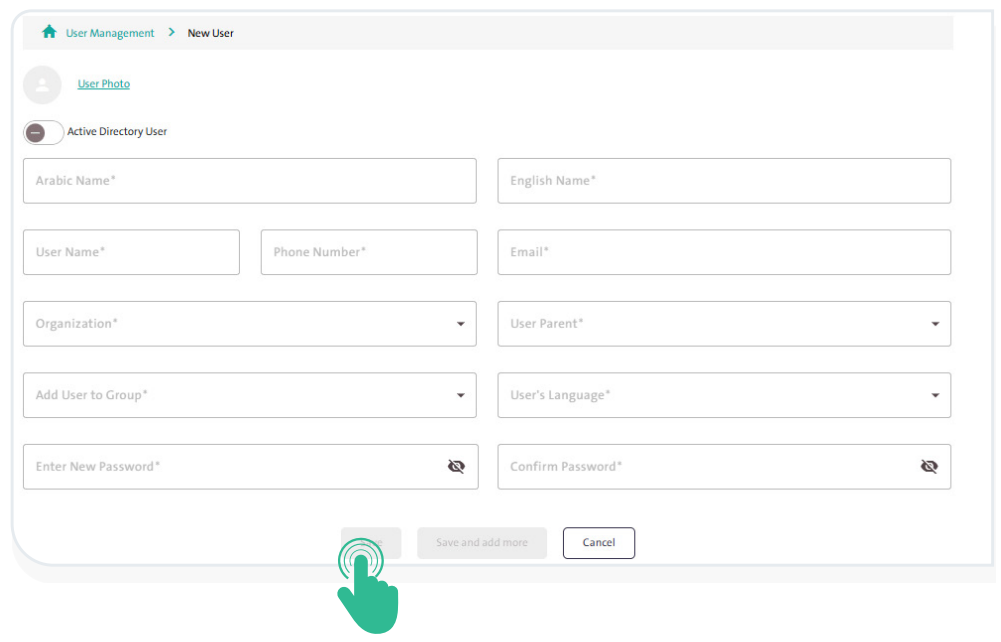
- Complete adding the new user by clicking “Save”
 .
.
