Edit Account Information in the “Survey Designer” System #
To edit your personal account information, follow these steps:
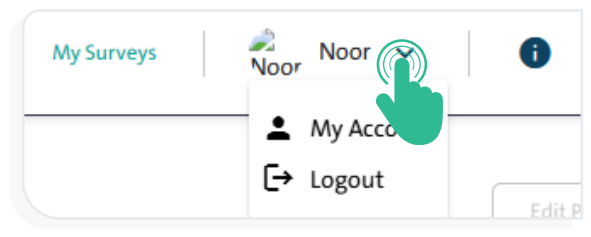
- Click on your name displayed at the top of the screen; a dropdown menu will appear with two options, as shown in the following image:
- My Account
- Log Out
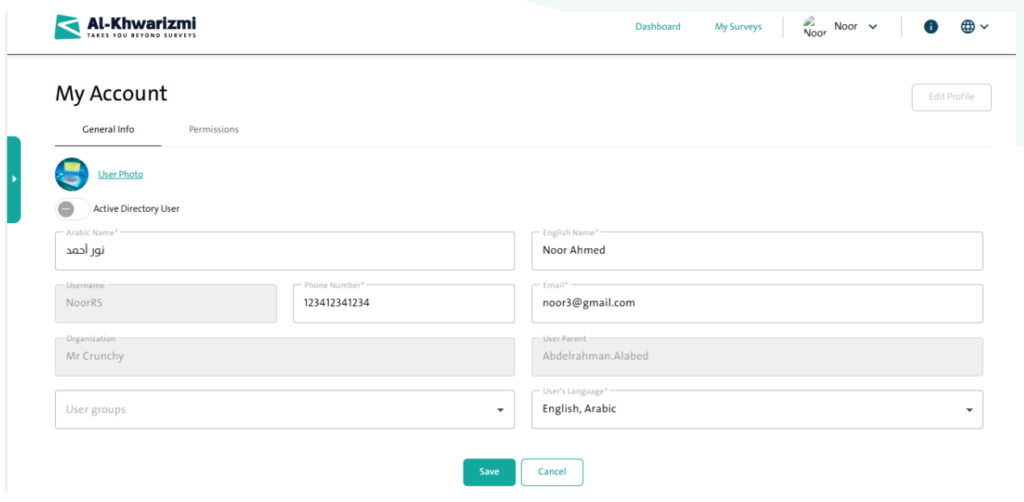
- Click the “My Account” option to open the Personal Account Information window, which includes the following tabs:
- “General Information” tab, which includes:
- User Photo
- Arabic Name
- English Name
- Email Address
- Username
- Phone Number
- Organization
- User Parent
- User Group
- User Language
- Edit Account
- “Permissions” tab: Displays the permissions granted to the user account.
- “General Information” tab, which includes:
- Click “Edit Account” to make the above options editable.
- After updating your information, click “Save” to apply the changes?
INFO
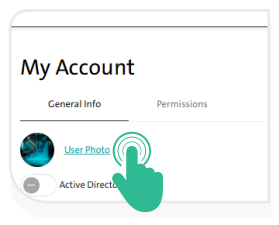
You can change your account picture by clicking the “User Photo” link, then uploading the image.