Change the Language of the Field Management System. #
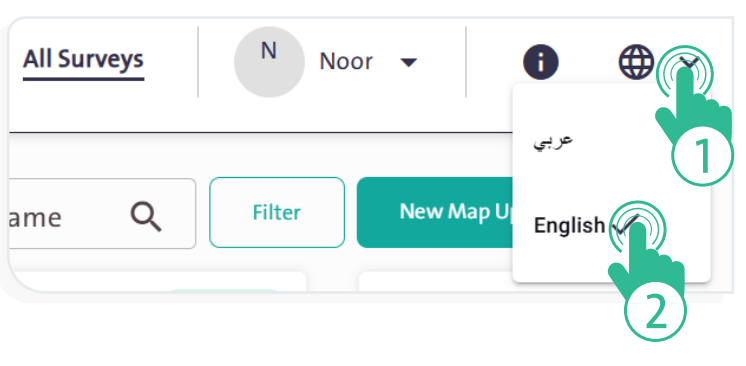
- Click the “Languages” icon at the top of the screen; a drop-down menu will appear with two options, as shown in the figure below:
- Arabic
- English
- Select the language that best suits you to facilitate your work in the Field Management System.