
Logging Out of the Survey Designer.
To log out of the “Survey Designer” system, follow these steps:
- To log out of the “Survey Designer” system, click your name displayed at the top of the screen; a dropdown menu will appear with two options, as shown in the following image:
- My Account
- Log Out
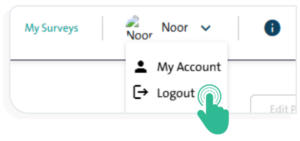
- Click “Log Out” to securely sign out of the system.
