
Introduction #
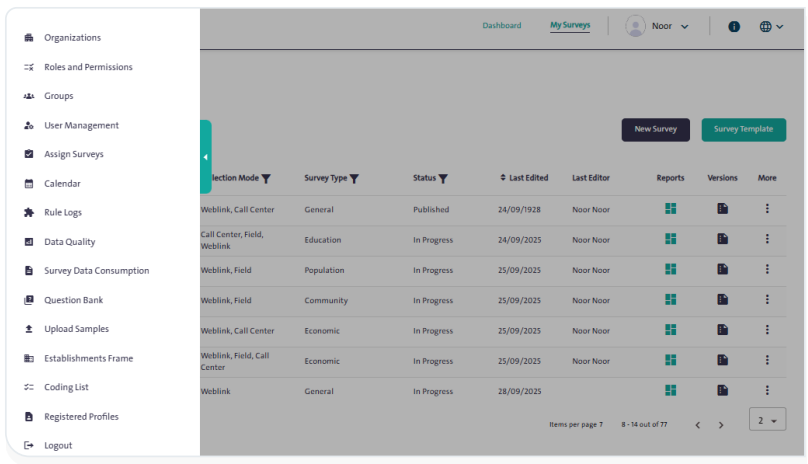
The Control Panel is a set of management options that allow you to administer the survey system, organize entities and roles, and manage user groups assigned to oversee surveys. It includes capabilities such as assigning tasks, displaying the survey timeline, and enriching the question bank. The panel also provides easy-to-use tools to perform various operations, such as adding, editing, or deleting data, along with options for quick search and organizing survey samples.
Features #
The functions available in the Control Panel provide flexibility and ease in managing surveys. Below is an overview of these functions:
- Manage entities (add, edit, delete).
- Manage roles and permissions.
- Create and manage groups and users.
- Assign tasks and surveys to the team.
- Display a survey timeline with advanced filtering options.
- Enrich and manage the question bank.
- Upload and manage samples.
- Quickly search for specific data.
