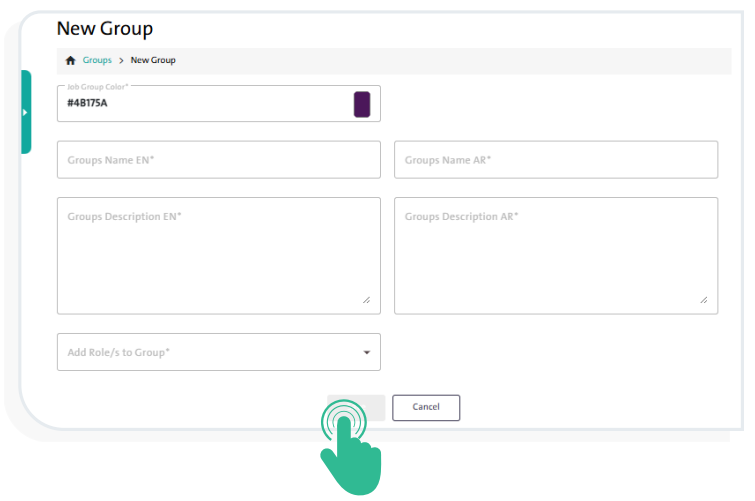
Add a new user group. #
To add a new user group in the Survey Designer system, follow these steps:
- From the side Control Panel, select “Groups”.
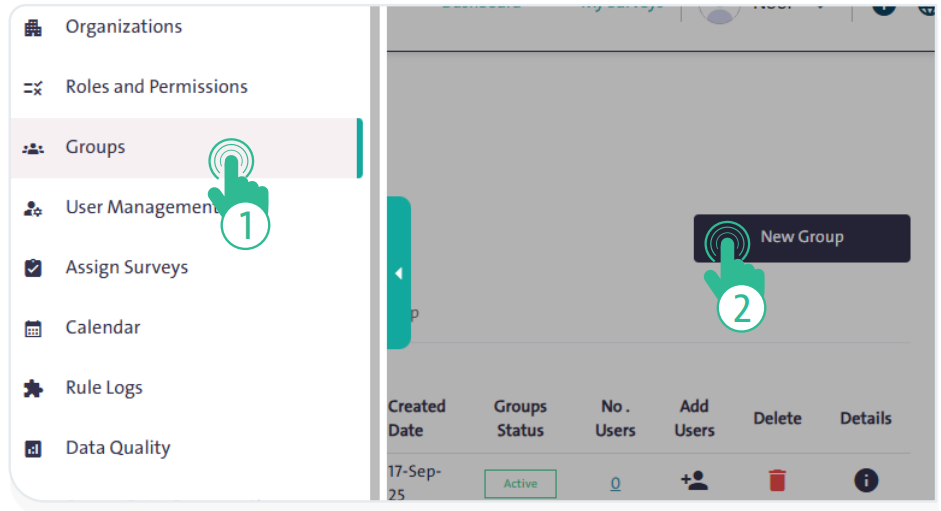
- Click “New Group” then configure the settings displayed in the following popup window:
- Select the group color
- Enter the group name in Arabic and English
- Enter a brief description of the group in Arabic and English
- Assign a role to the group
- Save the group by clicking “Save”
 .
. - To cancel adding the group, click “Cancel”
 .
.