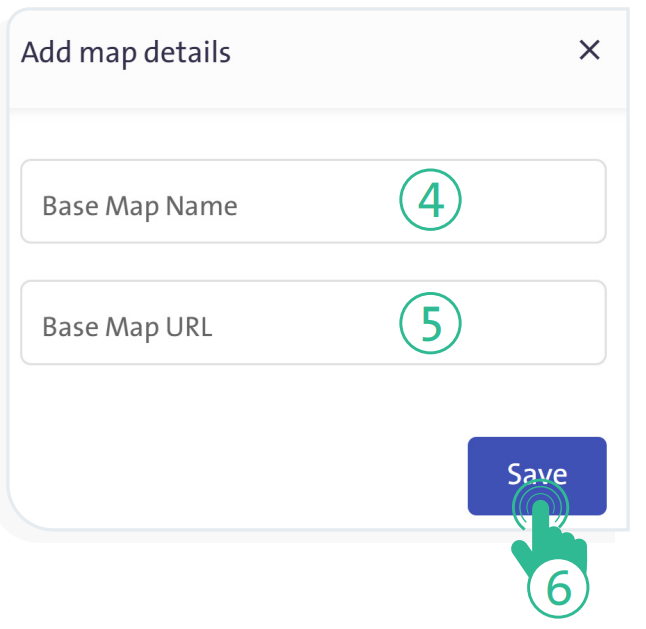
Add a map to be integrated with the available geographic layers for the user. #
- Click “GIS Layers” link at the top of the screen, then select “Base Maps” tab.
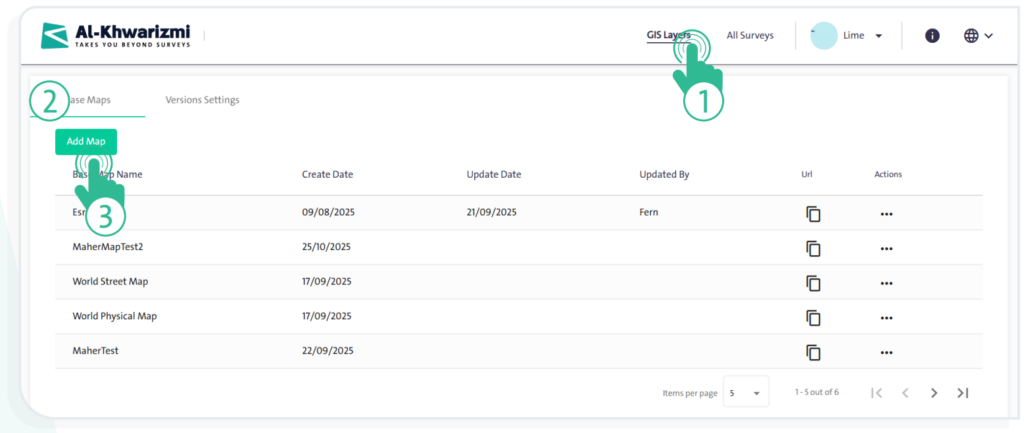
- Click “Add Map”
 to display the corresponding window.
 - Enter the following map details:
- “Base Map Name”
- “Base Map URL”
- To complete adding the map to the Base Maps table, click “Save”
 .
.